- DATE:
- AUTHOR:
- CandidPro Product Team

Treatment Preference Presets
What's new?
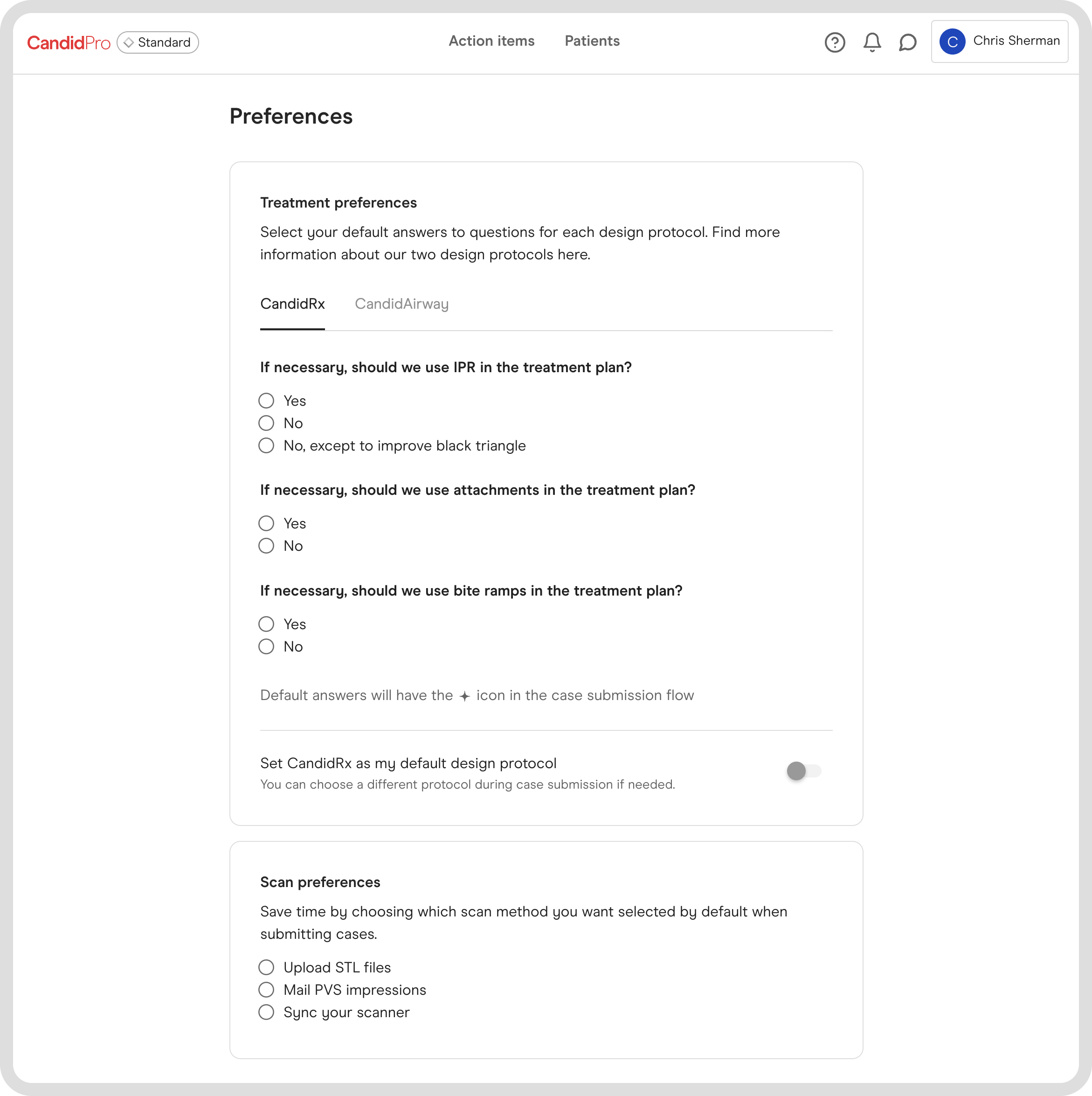
We've added the ability to set default responses to some of the questions we ask when you're creating a new case. This will help streamline the submission process and reduce the number of questions you have to answer each time. With these new preferences you'll be able to set default responses to:
The treatment protocol you prefer to use:
CandidPro Protocol
Airway Protocol
Treatment preferences:
Whether or not you'd like for us to use attachments, if necessary.
Whether or not you'd like for us to use IPR, if necessary.
Whether or not you'd like for us to use bite ramps, if necessary.
Scan preferences:
Upload STL files
Mail PVS impressions
Sync your scanner
How do I access these new treatment preferences?
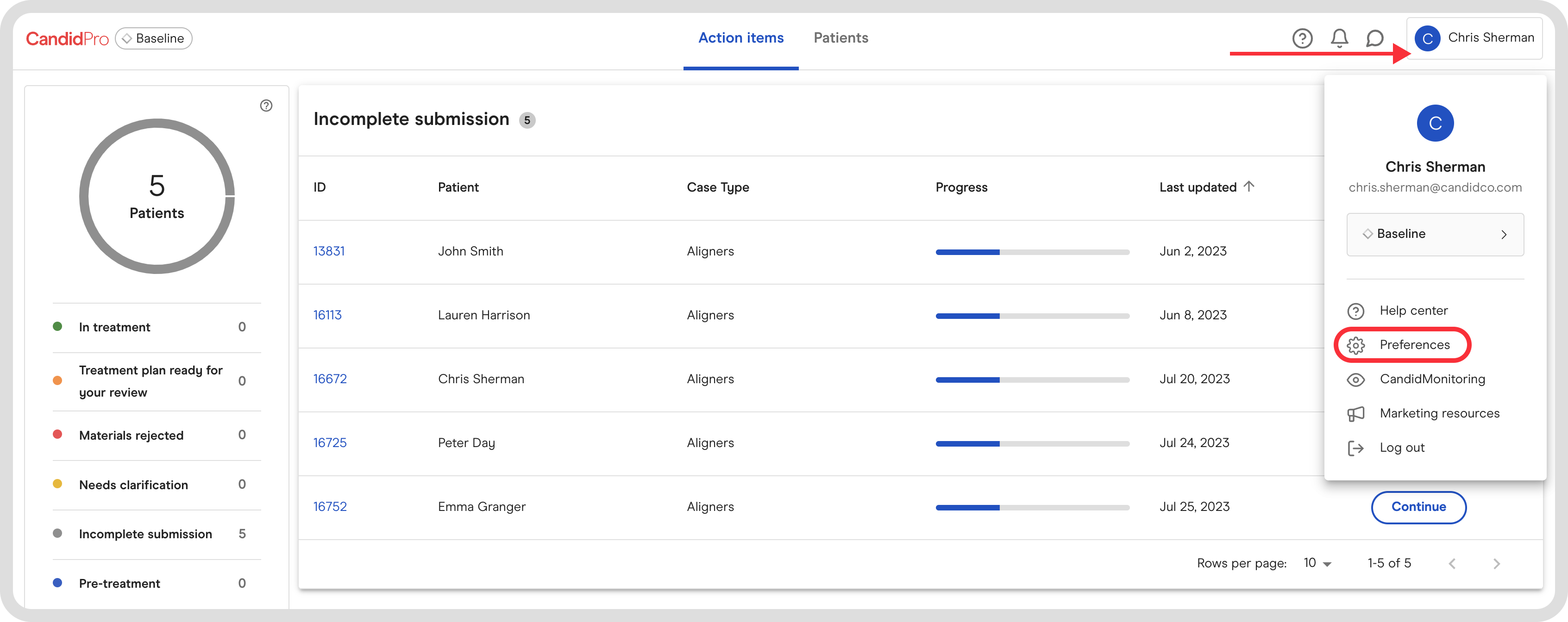
When you click the account drop down in the top right hand corner of the portal, you'll notice a new tab called "Preferences". Here you can select your default preferences.
What happens once I select these preferences?
Once you've selected your default responses, these answers will be auto selected when creating a new case. NOTE however that if you wish to change the responses to a different option, you will still be able to do so both in your account preferences OR when creating a new case. Below is an overview to show you how the experience works.
When are these updates happening?
These changes went live August 7th, 2023.
Start leveraging these new features today!
Head to the CandidPro portal to set your case submission presets!
Reach out to your CandidPro point of contact to ask any questions you may have around this change.