- DATE:
- AUTHOR:
- CandidPro Product Team
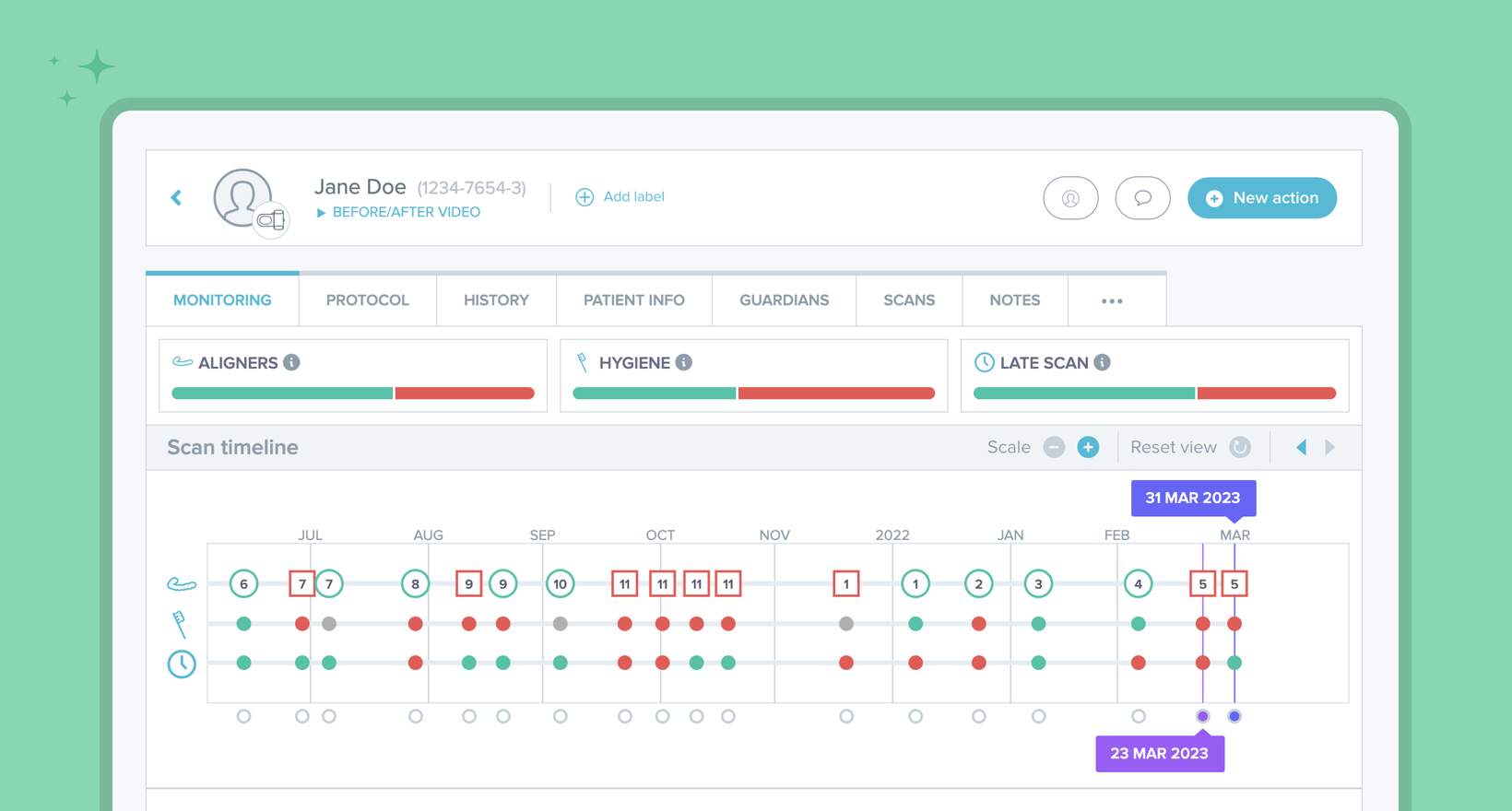
New timelines and progress bars are now available in CandidMonitoring
The progress bars and timelines on the patient card give you an instant snapshot of how your patient is going in three key areas: treatment, hygiene and compliance. They can be used to quickly identify patients who may need more attention than others, or to show patients their overall performance during in-clinic appointments.
Progress bars
Progress bars display the % of scans in which there are no issues compared to the % of scans where there is at least 1 issue.

Hovering over each bar will display the precise percentages and number of scans concerned.
Timeline
Timelines representing treatment, hygiene and scan compliance display scans as green or red, depending on whether or not there is an issue. These timelines give insight into when issues have occurred concurrently, helping you identify trends and problems (eg. hygiene and compliance may slip when a patient is busy with exams, holiday season, etc).
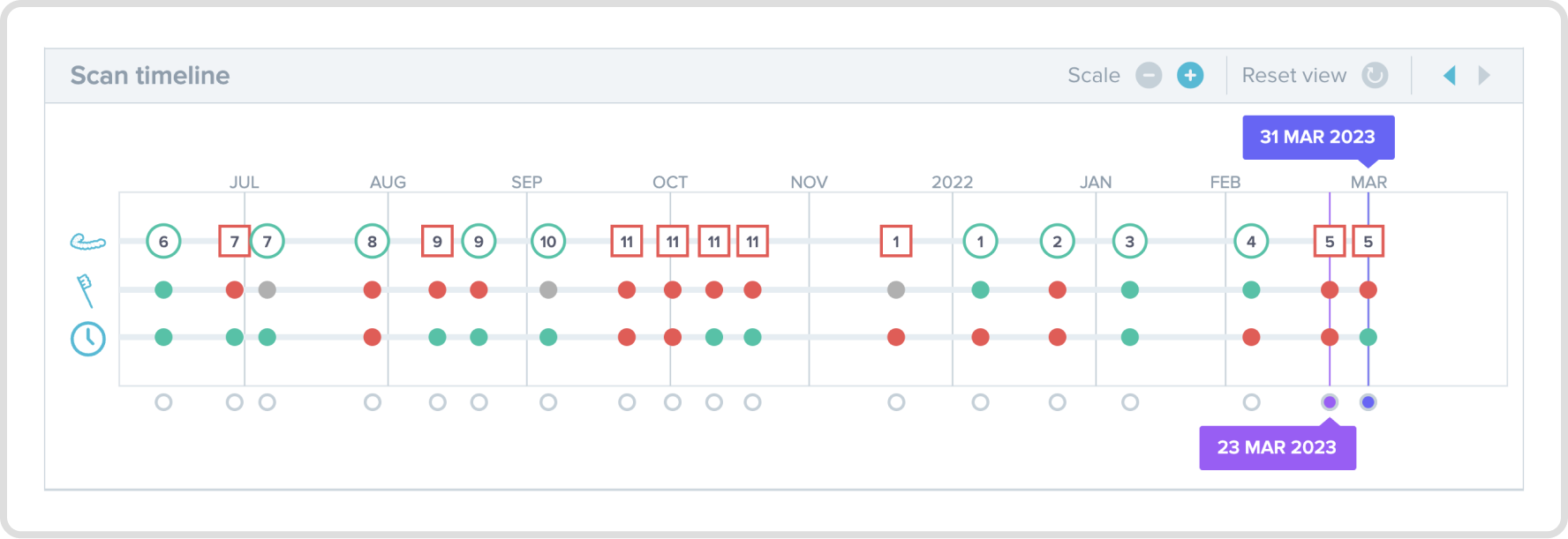
Hovering over any scan on the timeline will reveal the details of the observation/s detected (type of observation + teeth/area affected).
Color code:
Aligners: (Green = GO, Red = NOGO)
Hygiene: (Green = satisfactory hygiene, Red = at least one issue*)
Late scans: (Green = scan taken on time, Red = scan taken > 2 days late)
*Based on what was selected in the patient's protocol at the time when the scan was taken.