- DATE:
- AUTHOR:
- CandidPro Product Team

Manage patients more easily with our improved Action Items page
What's New?
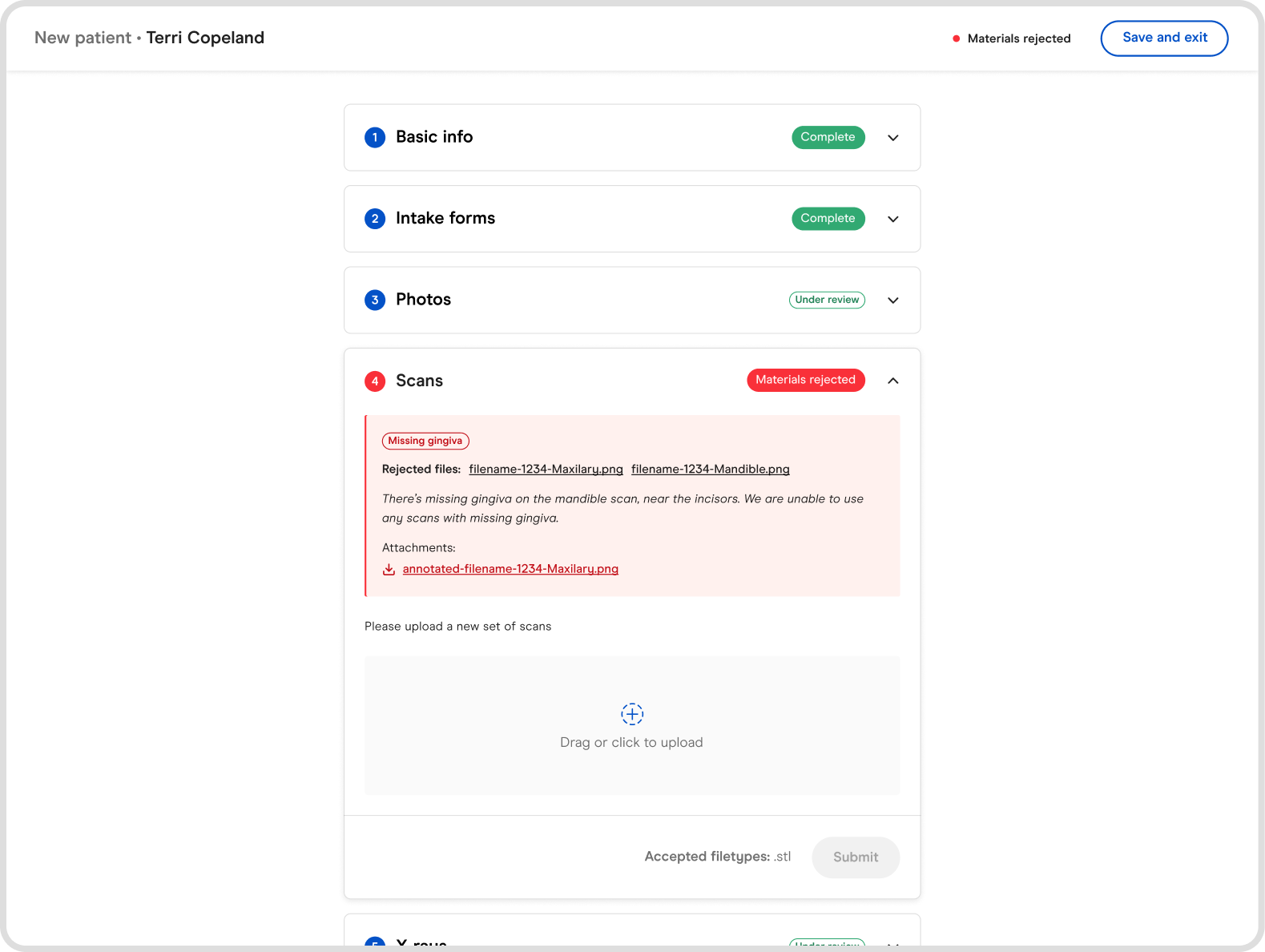
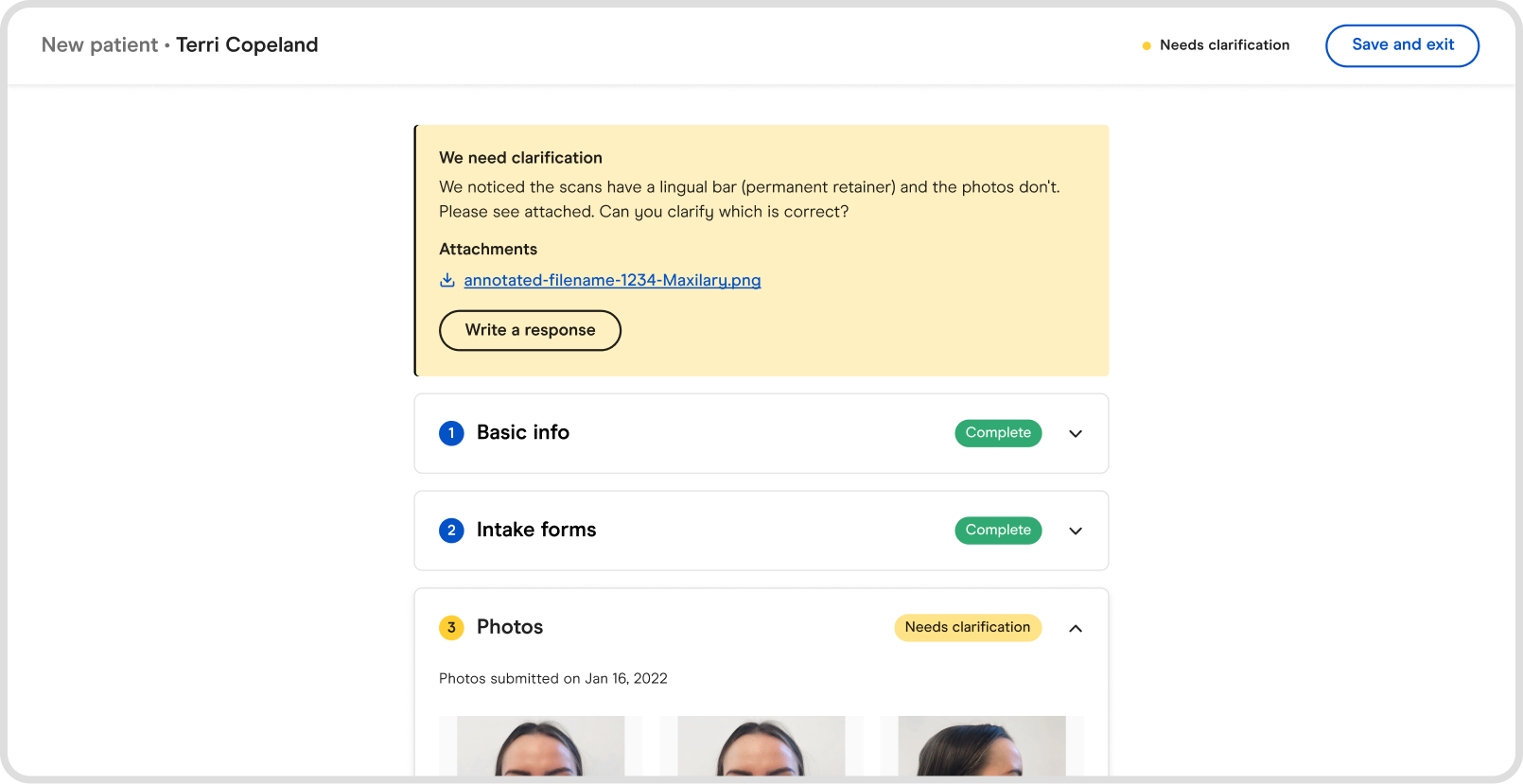
Two new sections have been added to the Action Items dashboard of the doctor portal, “Materials rejected” and “Needs clarification”. When you click into the patients listed within these section of the Action Items page, you'll also notice these statuses highlighted with context on why they are appearing.
Materials rejected - Our orthodontic review team found an issue with one or more of your materials. You will need to resubmit whichever materials are rejected.
Needs clarification - Our orthodontic review team is unsure about one or more of your materials, and needs to ask some clarifying questions. You’ll need to review their note and respond promptly to figure out the next step.
Why are we making this updates?
To date, any time you needed to replace a rejected piece of material or provide clarification about a new patient, you'd need to correspond with our support or orthodontic review team over email. This update:
Eliminates the friction of having to leave the portal to provider this additional information.
Provides better visibility into what actions need to be taken to ensure a faster turn around time for your treatment plan.
When are these updates happening?
These changes went live on Tuesday July 14th, 2022.
Screenshots/Videos
Quick summary on why changes are happening.
Start leveraging these new features today!
There are a couple ways to begin enjoying these new features:
Visit our help center to view the tutorial on how to leverage these new changes
Contact your Candid point of contact to set up a 1:1 session in which they’ll provide you with a white glove experience and answer any questions you may have